# Tabs

## Overview

A series of tabs. The component supports *manual* (for a static options list) and *dynamic* options configuration.

<figure><img src="/files/LCU1Rfn7oYVxs9Y4Wcnx" alt=""><figcaption></figcaption></figure>

### Properties

<table><thead><tr><th width="139.15625">Name</th><th width="119.98046875">Type</th><th>Description</th></tr></thead><tbody><tr><td><code>name</code></td><td><code>string</code></td><td>Component name</td></tr><tr><td><code>length</code></td><td><code>number</code></td><td>Total number of tabs</td></tr><tr><td><code>selectedTab</code></td><td><code>tab</code></td><td>The selected tab (alternative property to <em>index</em>)</td></tr><tr><td><code>selectedIndex</code></td><td><code>number</code></td><td>Index of the currently selected tab</td></tr></tbody></table>

### Methods

<table><thead><tr><th width="120.953125">Name</th><th width="140.29296875">Parameters</th><th width="95.94140625">Returns</th><th>Description</th></tr></thead><tbody><tr><td><code>selectTab</code></td><td><code>index: number</code></td><td><code>void</code></td><td>Select tab by its index</td></tr></tbody></table>

### Triggers

<table><thead><tr><th width="158.80078125">Name</th><th>Description</th><th data-hidden></th></tr></thead><tbody><tr><td><strong>On Init</strong></td><td>Triggered when the component is initialized</td><td></td></tr><tr><td><strong>On Tab Change</strong></td><td>Triggered when a tab is switched</td><td></td></tr></tbody></table>

## Working with the component

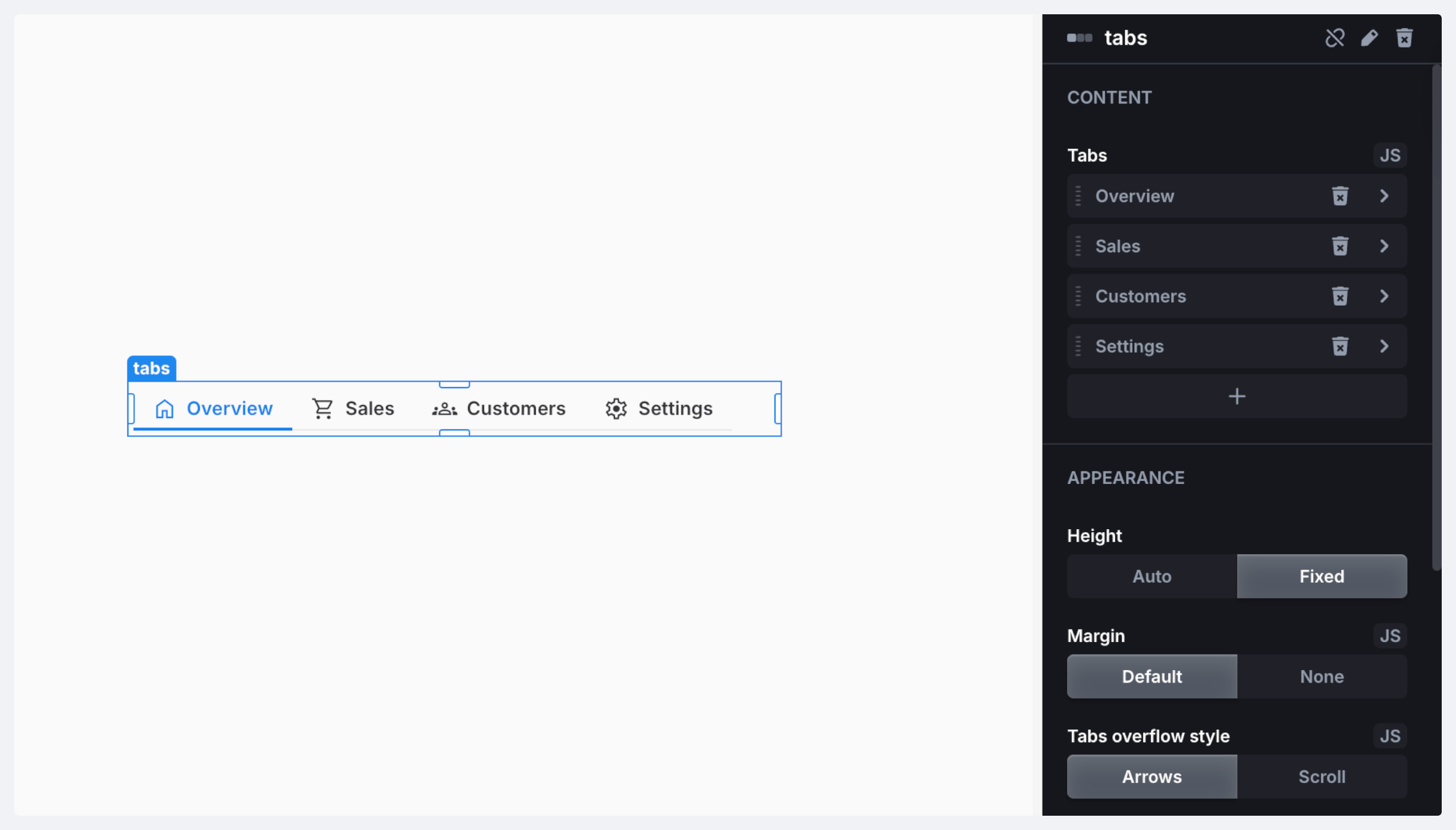
In the right side panel, under the *Appearance* section, you can set up how your component will look like. You can configure such settings as:

* Height
* Margin
* Tabs overflow style
* Tab text wrap
* Tabs style

*Tabs overflow* and *text wrap* allow you to control the layout: you can switch between **Arrows** and **Scroll** and enable text wrapping for longer tabs to keep things readable.

<figure><img src="/files/Oy8sSOtbYqSzrThVAqUs" alt=""><figcaption></figcaption></figure>


---

# Agent Instructions: Querying This Documentation

If you need additional information that is not directly available in this page, you can query the documentation dynamically by asking a question.

Perform an HTTP GET request on the current page URL with the `ask` query parameter:

```
GET https://docs.uibakery.io/reference/working-with-components/tabs.md?ask=<question>
```

The question should be specific, self-contained, and written in natural language.
The response will contain a direct answer to the question and relevant excerpts and sources from the documentation.

Use this mechanism when the answer is not explicitly present in the current page, you need clarification or additional context, or you want to retrieve related documentation sections.
