# Stepper

## Overview

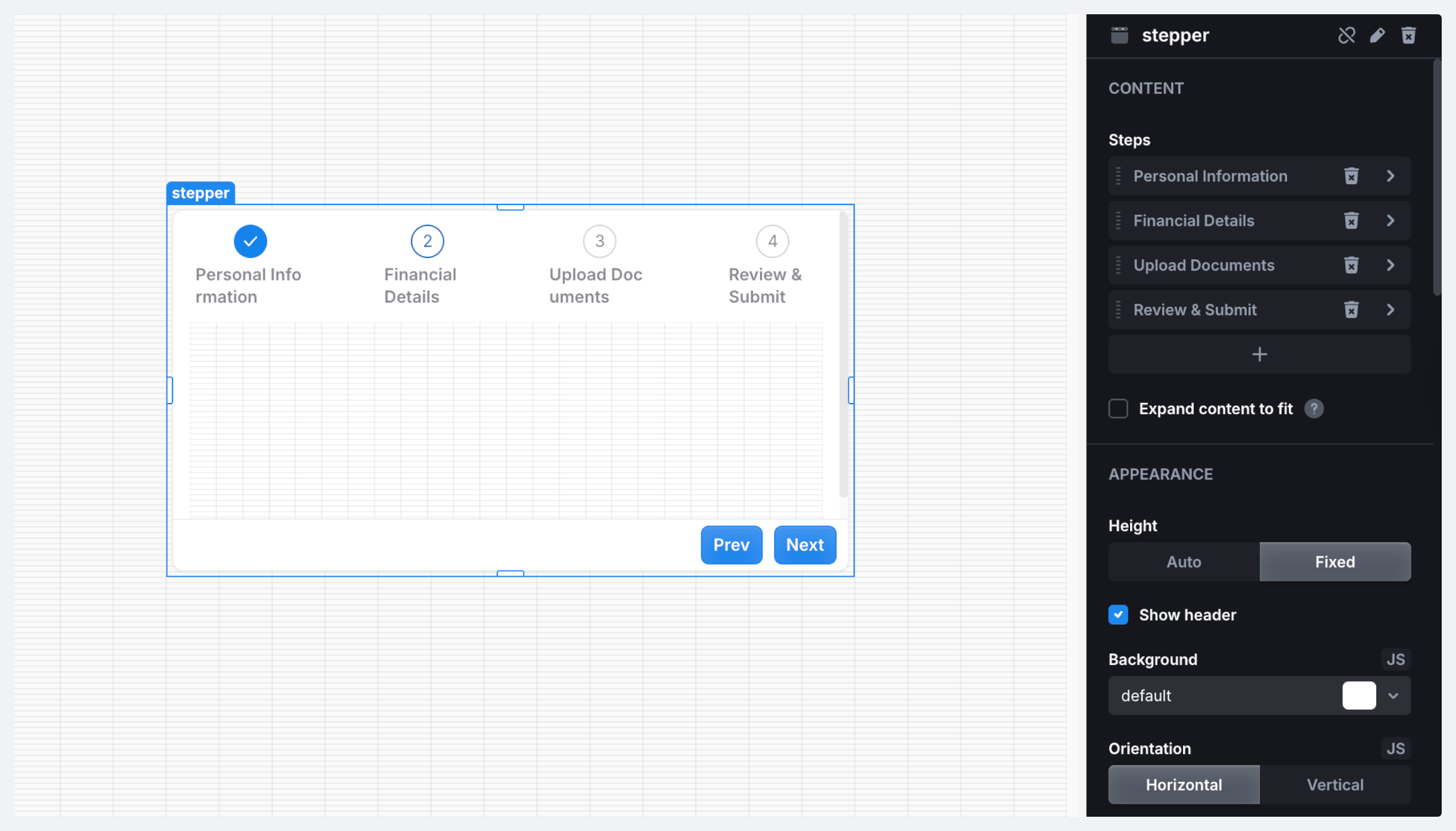
Stepper allows to separate content between the tabs (steps) and switch between them. You can control the steps programmatically, set linear steps execution or allow step selection, and show completed steps.

<figure><img src="https://837703843-files.gitbook.io/~/files/v0/b/gitbook-x-prod.appspot.com/o/spaces%2FUX6zPRMFFK0yrTghj7cY%2Fuploads%2F5R4zfUuKbxIXnGseCJWX%2FCleanShot%202025-08-22%20at%2013.09.30%402x-min.png?alt=media&#x26;token=a36a1e29-e156-42d8-9820-b1621b975ee8" alt=""><figcaption></figcaption></figure>

{% content-ref url="../../how-tos/components-recipes/building-wizard-ui-with-stepper" %}
[building-wizard-ui-with-stepper](https://docs.uibakery.io/how-tos/components-recipes/building-wizard-ui-with-stepper)
{% endcontent-ref %}

### Properties

<table><thead><tr><th width="179.2578125">Name</th><th width="112.03515625">Type</th><th>Description</th></tr></thead><tbody><tr><td><code>name</code></td><td><code>string</code></td><td>Component name</td></tr><tr><td><code>selectedStepIndex</code></td><td><code>number</code></td><td>Selected step index</td></tr><tr><td><code>steps</code></td><td><code>string[]</code></td><td>Component steps</td></tr><tr><td><code>completed</code></td><td><code>boolean</code></td><td>State of completed steps</td></tr><tr><td><code>value</code></td><td><code>value</code></td><td>Current component value</td></tr><tr><td><code>children</code></td><td><code>children</code></td><td>Children components</td></tr><tr><td><code>valid</code></td><td><code>boolean</code></td><td>Indicates if the component is valid</td></tr></tbody></table>

### Methods

<table><thead><tr><th width="160.4296875">Name</th><th width="138.59765625">Parameters</th><th width="101.7890625">Returns</th><th>Description</th></tr></thead><tbody><tr><td><code>prev</code></td><td>–</td><td><code>void</code></td><td>Select previous step</td></tr><tr><td><code>next</code></td><td>–</td><td><code>void</code></td><td>Select next step</td></tr><tr><td><code>reset</code></td><td>–</td><td><code>void</code></td><td>Reset stepper</td></tr><tr><td><code>selectStep</code></td><td><code>index: number</code></td><td><code>void</code></td><td>Select step by index</td></tr><tr><td><code>setValue</code></td><td><code>data: object</code>  </td><td><code>void</code></td><td>Set component data. Data is an object with arbitrary structure.</td></tr><tr><td><code>resetValue</code></td><td>–</td><td><code>void</code></td><td>Reset component to the initial value</td></tr><tr><td><code>validate</code></td><td>–</td><td><code>void</code></td><td>Trigger form validation</td></tr><tr><td><code>resetValidation</code></td><td>–</td><td><code>void</code></td><td>Clear validation errors</td></tr></tbody></table>

### Triggers

<table><thead><tr><th width="163.203125">Name</th><th>Description</th></tr></thead><tbody><tr><td><strong>On Init</strong></td><td>Triggered when the component is initialized</td></tr><tr><td><strong>On Next</strong></td><td>Triggered when the next step is selected</td></tr><tr><td><strong>On Prev</strong></td><td>Triggered when the previous step is selected</td></tr><tr><td><strong>On Step Change</strong></td><td>Triggered when the selected step changes</td></tr></tbody></table>
