# Multiselect

## Overview

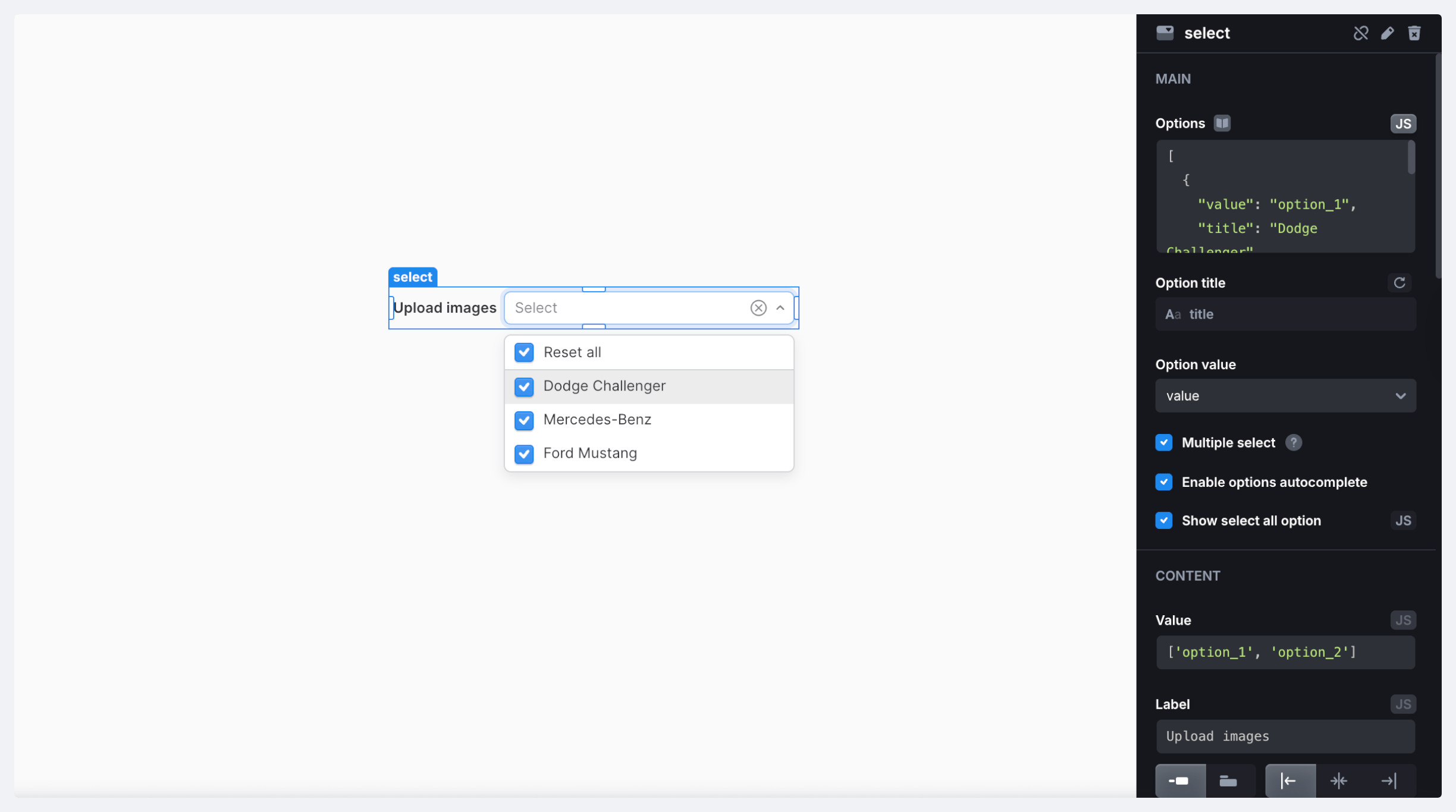
A Select field that supports the selection of multiple values. The component also supports required fields validation, minimum/maximum length, and custom rules.

<figure><img src="https://837703843-files.gitbook.io/~/files/v0/b/gitbook-x-prod.appspot.com/o/spaces%2FUX6zPRMFFK0yrTghj7cY%2Fuploads%2FMDRPj0DGkBm8BKnZhCKW%2FCleanShot%202025-08-13%20at%2013.06.42%402x-min.png?alt=media&#x26;token=67c68d0c-358f-4c7c-af58-e2fd205d1619" alt=""><figcaption></figcaption></figure>

### Properties

<table><thead><tr><th width="175.71875">Name</th><th width="132.92578125">Type</th><th>Description</th></tr></thead><tbody><tr><td><code>name</code></td><td><code>string</code></td><td>Component name</td></tr><tr><td><code>value</code></td><td><code>any</code></td><td>Current component value</td></tr><tr><td><code>autocompleteValue</code></td><td><code>string</code></td><td>Value of the autocomplete input field</td></tr><tr><td><code>valid</code></td><td><code>boolean</code></td><td>Indicates if the component is valid</td></tr><tr><td><code>validating</code></td><td><code>boolean</code></td><td>Indicates if the component is validating</td></tr><tr><td><code>disabled</code></td><td><code>boolean</code></td><td>Indicates whether the component is disabled</td></tr><tr><td><code>options</code></td><td><code>array</code></td><td>Current component options</td></tr></tbody></table>

### Methods

<table><thead><tr><th width="156.14453125">Name</th><th width="172.52734375">Parameters</th><th width="101.0859375">Returns</th><th>Description</th></tr></thead><tbody><tr><td><code>setValue</code></td><td><code>value: any</code></td><td><code>void</code></td><td>Set component value</td></tr><tr><td><code>setOptions</code></td><td><code>options: object[]</code></td><td><code>void</code></td><td><p>Set options for the select. Options is an array of objects with the following structure:<br><code>{</code><br></p><p><code>value: any;</code></p><p><code>title: string;</code></p><p><code>}</code></p></td></tr><tr><td><code>setDisabled</code></td><td><code>disabled: boolean</code></td><td><code>void</code></td><td>Disable or enable the component</td></tr><tr><td><code>reset</code></td><td>–</td><td><code>void</code></td><td>Reset component to the initial value</td></tr><tr><td><code>validate</code></td><td>–</td><td><code>void</code></td><td>Trigger component validation</td></tr><tr><td><code>resetValidation</code></td><td>–</td><td><code>void</code></td><td>Clear validation errors</td></tr><tr><td><code>setErrors</code></td><td><p><code>errors: string |</code> <br></p><p><code>string[] | null</code>        </p></td><td><code>void</code></td><td>Mark the component as invalid and display errors</td></tr><tr><td><code>setRequired</code></td><td><code>required: boolean</code></td><td><code>void</code></td><td>Set component required state</td></tr></tbody></table>

### Triggers

<table><thead><tr><th width="146.83984375">Name</th><th>Description</th></tr></thead><tbody><tr><td><strong>On Change</strong></td><td>Triggered when the component's state changes</td></tr><tr><td><strong>On Focus</strong></td><td>Triggered when the component is in focus</td></tr><tr><td><strong>On Blur</strong></td><td>Triggered when the component loses focus</td></tr><tr><td><strong>On Init</strong></td><td>Triggered when the component is initialized</td></tr></tbody></table>
