# Container

## Overview

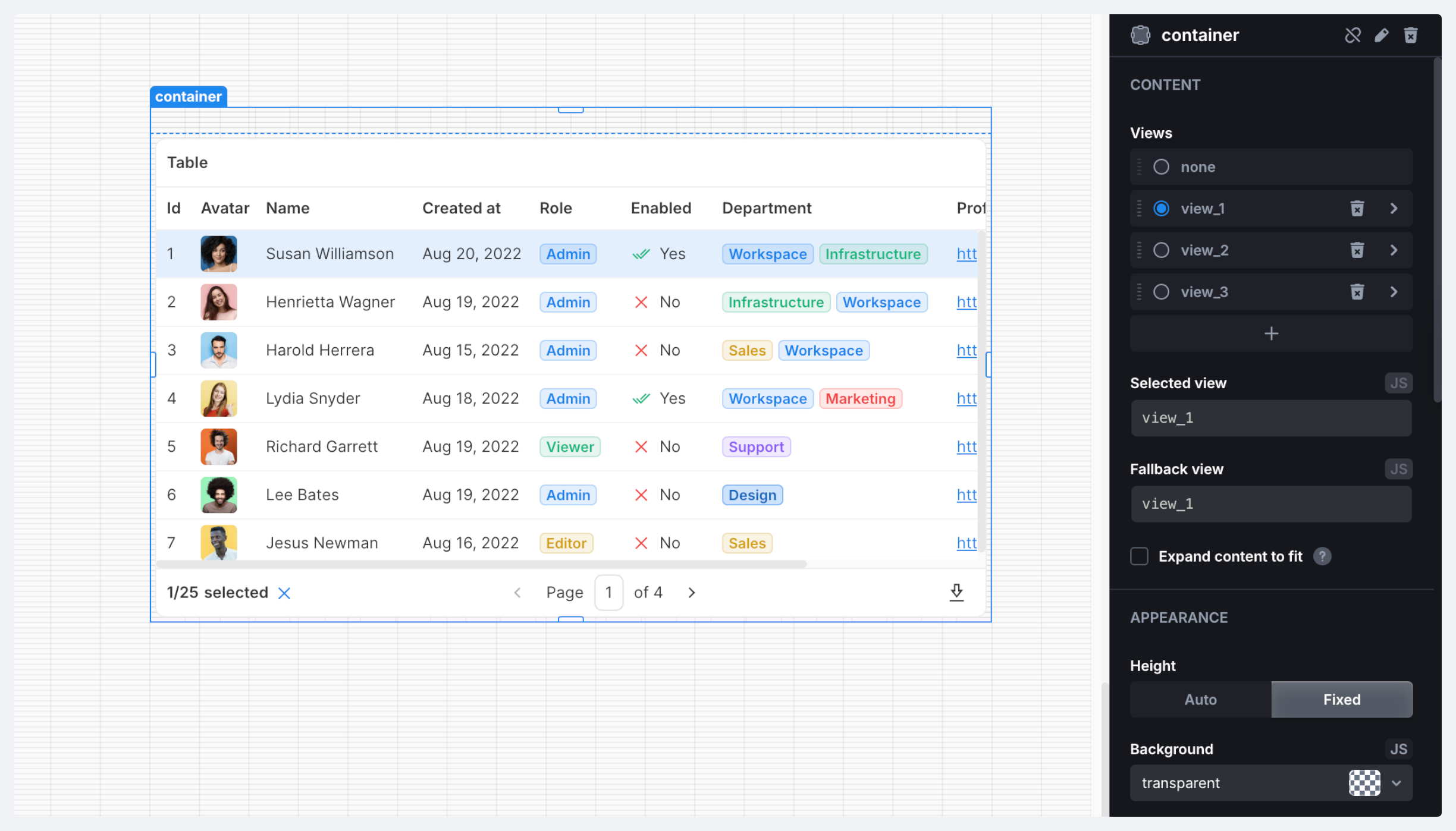
A container to group different components. A container doesn't have any styling options so you can customize it to your needs. It supports multiple views of different content for conditional display (for example, for different groups of users).

<figure><img src="https://837703843-files.gitbook.io/~/files/v0/b/gitbook-x-prod.appspot.com/o/spaces%2FUX6zPRMFFK0yrTghj7cY%2Fuploads%2FjypPOzb0OAl4irBa6Yfo%2FCleanShot%202025-07-23%20at%2017.28.40%402x.png?alt=media&#x26;token=ef452920-1bbf-4975-b12f-e5966e9fe0cf" alt=""><figcaption></figcaption></figure>

### Properties

<table><thead><tr><th width="131.78125">Name</th><th width="121.01953125">Type</th><th>Description</th></tr></thead><tbody><tr><td><code>name</code></td><td><code>string</code></td><td>Component name</td></tr><tr><td><code>views</code></td><td><code>string[]</code></td><td>Array of available view names</td></tr><tr><td><code>selectedView</code></td><td><code>string</code></td><td>Name of the selected view</td></tr><tr><td><code>value</code></td><td><code>value</code></td><td>Current component value</td></tr><tr><td><code>children</code></td><td><code>children</code></td><td>Children components</td></tr><tr><td><code>valid</code></td><td><code>boolean</code></td><td>Indicates if the component is valid</td></tr></tbody></table>

{% hint style="info" %}
All nested inputs are included in the component’s `value` property allowing you to build custom forms.
{% endhint %}

### Methods

<table><thead><tr><th>Name</th><th>Parameters</th><th width="103.09375">Returns</th><th>Description</th></tr></thead><tbody><tr><td><code>selectView</code></td><td><code>name: string</code></td><td><code>void</code></td><td>Select a view by name</td></tr></tbody></table>

### Triggers

<table><thead><tr><th width="142.79296875">Name</th><th>Description</th></tr></thead><tbody><tr><td><strong>On Click</strong></td><td>Triggered when the component is clicked</td></tr><tr><td><strong>On Double Click</strong></td><td>Triggered when the component is double-clicked</td></tr><tr><td><strong>On Init</strong></td><td>Triggered when the component is initialized</td></tr></tbody></table>
